
Inside this article :
The managed Kubernetes landscape has matured significantly. After implementing production Kubernetes clusters across Google Kubernetes Engine (GKE), Amazon Elastic Kubernetes Service (EKS), and Azure Kubernetes Service (AKS) for dozens of clients, we’ve seen what works, what breaks, and what costs companies unnecessary money. Here’s what you need to know when choosing between them in 2026.
All three services handle the Kubernetes control plane managing master nodes, etc databases, and API servers. Where they diverge is in operational tooling, integration depth, pricing models, and production readiness.
Google Kubernetes Engine (GKE): The Kubernetes Native Choice
Google invented Kubernetes. This heritage shows in GKE’s operational maturity and feature depth.
What GKE Gets Right:
GKE Autopilot fundamentally changes managed Kubernetes. Instead of provisioning node pools, Autopilot provisions infrastructure automatically based on pod requirements. Google handles capacity planning, node management, and OS patching eliminating operational overhead.
Integration with Google Cloud tooling is seamless. Cloud Build for CI/CD, Artifact Registry for container images, and Cloud Operations for observability work together without complex configuration. Teams spend less time stitching tools together.
GKE’s networking is sophisticated. VPC-native clusters, network policies, and multi-cluster service mesh support through Anthos provide enterprise-grade security that works out of the box.
Where GKE Gets Complicated:
Pricing surprises teams unfamiliar with GCP. Network egress costs, persistent disk pricing, and cluster management fees ($0.10/hour per cluster) add up without proper monitoring.
For non-GCP organizations, adopting GKE means learning GCP’s IAM model, networking concepts, and operational toolinga non-trivial investment if your infrastructure is primarily AWS or Azure.
Best For: Teams prioritizing Kubernetes-native features, organizations already invested in Google Cloud, projects requiring advanced networking or multi-cluster management.
Amazon Elastic Kubernetes Service (EKS): Deep AWS Integration
EKS arrived later than GKE but has leveraged AWS’s massive service ecosystem to create a compelling offering.
What EKS Gets Right:
Integration with AWS services is unmatched. IAM for authentication, Secrets Manager for sensitive data, RDS for databases, ALB for ingresseverything connects natively. If you’re running on AWS, EKS slots into existing patterns seamlessly.
EKS Anywhere extends Kubernetes consistency beyond AWS. Run the same distribution on-premises or in other clouds, maintaining operational consistency across hybrid environments. For enterprises with data center commitments, this is valuable.
The AWS CNI plugin provides VPC-native pod networking. Each pod gets a VPC IP, simplifying network policies and security groups for AWS-experienced teams.
Where EKS Gets Complicated:
Control plane costs $0.10/hour per cluster, but setup requires more manual configuration than GKE Autopilot. EKS feels less opinionated, requiring more upfront decisions about node groups and networking.
AWS’s Kubernetes add-ons (CNI, CoreDNS, kube-proxy) require separate version management, adding operational overhead. The AWS Load Balancer Controller, while powerful, can provision expensive resources that persist unexpectedly if misconfigured.
Best For: Organizations deeply committed to AWS, teams requiring hybrid cloud deployment with EKS Anywhere, workloads needing tight integration with AWS services like RDS, Lambda, or IAM.
Azure Kubernetes Service (AKS): The Microsoft Ecosystem Play
AKS has evolved from playing catch-up to offering distinctive value, especially for Microsoft-centric organizations.
What AKS Gets Right:
Integration with Azure DevOps provides streamlined CI/CD for teams already using Microsoft’s development tools. Azure Pipelines, Azure Repos, and AKS work together with minimal friction.
Azure Policy integration brings compliance-as-code to Kubernetes. Define policies centrally, enforce them across clusters automaticallysignificant for regulated industries and enterprises with governance requirements.
Cost management tooling is strong. Azure Cost Management provides granular visibility into Kubernetes spending by namespace, label, or workload, making FinOps easier than GKE or EKS.
Where AKS Gets Complicated:
AKS has historically lagged in adopting the latest Kubernetes versions. While improving, teams wanting cutting-edge features sometimes wait longer.
Azure’s identity and access model has a steeper learning curve. Azure AD integration, managed identities, and RBAC configuration differ significantly from AWS IAM or Google Cloud IAM, requiring time to master.
Networking decisionskubenet vs Azure CNIhave significant implications for IP planning and scalability that teams often discover post-deployment.
Best For: Organizations committed to Azure, teams heavily using Azure DevOps, enterprises requiring strong compliance and cost management tooling, workloads integrating with Azure-specific services like Cosmos DB or Azure Functions.
What Actually Matters in Production
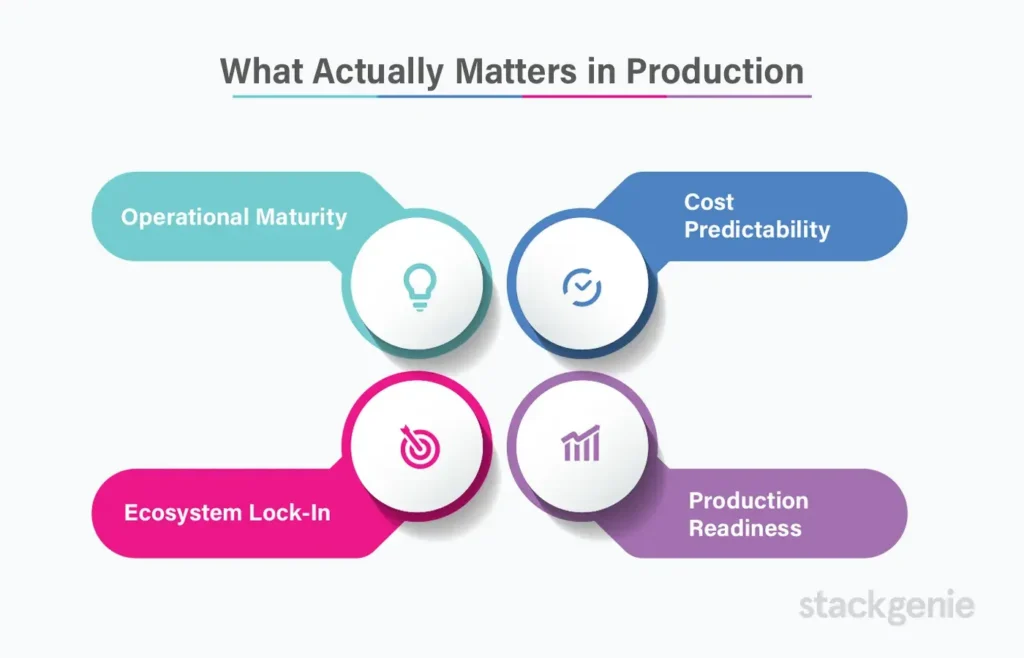 Operational Maturity: GKE leads in Kubernetes-native features. Autopilot mode eliminates entire categories of cluster management. EKS and AKS require more hands-on node management.
Cost Predictability: All three charge $0.10/hour for control planes. AKS provides the best cost visibility. GKE Autopilot eliminates over-provisioning. EKS requires active cost monitoring.
Ecosystem Lock-In: Deep integration (EKS with AWS, AKS with Azure) simplifies operations but increases switching costs. GKE’s Anthos provides more portability at additional expense.
Production Readiness: All three handle production workloads successfully. The difference is operational overhead. GKE Autopilot minimizes this; EKS and AKS require more infrastructure decisions upfront.
Choose Based on Your Reality
Choose GKE if: You want the most Kubernetes-native experience, are building greenfield on Google Cloud, or need advanced multi-cluster management. GKE Autopilot offers the lowest operational overhead.
Choose EKS if: You’re committed to AWS, need hybrid deployment with EKS Anywhere, or require deep integration with AWS services.
Choose AKS if: You’re invested in Azure and Microsoft tooling, need strong cost management and compliance features, or operate primarily in the Azure ecosystem.
For teams without existing cloud commitments, GKE Autopilot offers the most compelling value proposition in 2026reducing operational burden while providing features competitors are still implementing.
How StackGenie Helps
We’ve deployed production Kubernetes across all three platforms. We know the operational patterns that work, the cost optimization strategies that matter, and the architectural decisions that prevent problems months down the road.
Whether you’re choosing between providers, migrating existing workloads to managed Kubernetes, or optimizing current deployments for cost and performance, StackGenie provides the expertise to make it successful.
We don’t push a preferred platform. We help you choose based on your specific business requirements, then architect and implement solutions that actually work in production.
Let’s talk about your specific Kubernetes strategy. We’ll help you make the right choice and make it successful.
Talk to our Kubernetes Expert?
Contact Us NowFrequently Asked Questions
1. What is the difference between GKE, EKS, and AKS?
GKE, EKS, and AKS are managed Kubernetes services from Google Cloud, AWS, and Azure. They differ in integration, pricing, and operational complexity.
2. Which Kubernetes service is best in 2026?
GKE is often considered the best due to automation and Kubernetes-native features, while EKS and AKS are ideal for AWS and Azure ecosystems.
3. Is GKE better than EKS?
GKE offers better automation, while EKS provides deeper AWS integration.
4. Is AKS cheaper than GKE and EKS?
AKS offers better cost visibility, but actual costs depend on architecture and usage.